
Everything you can use today.
One tool for your people, your projects and your clients. Here is what Agilic does, section by section.
What is a work package?
A work package is any type of work you need to manage, large or small. It does not matter.
It could be a project with a definite beginning and end, operational work that is constant and ongoing, or anything in between. Everything in Agilic is organized around work packages.
Manage multiple people across multiple projects.
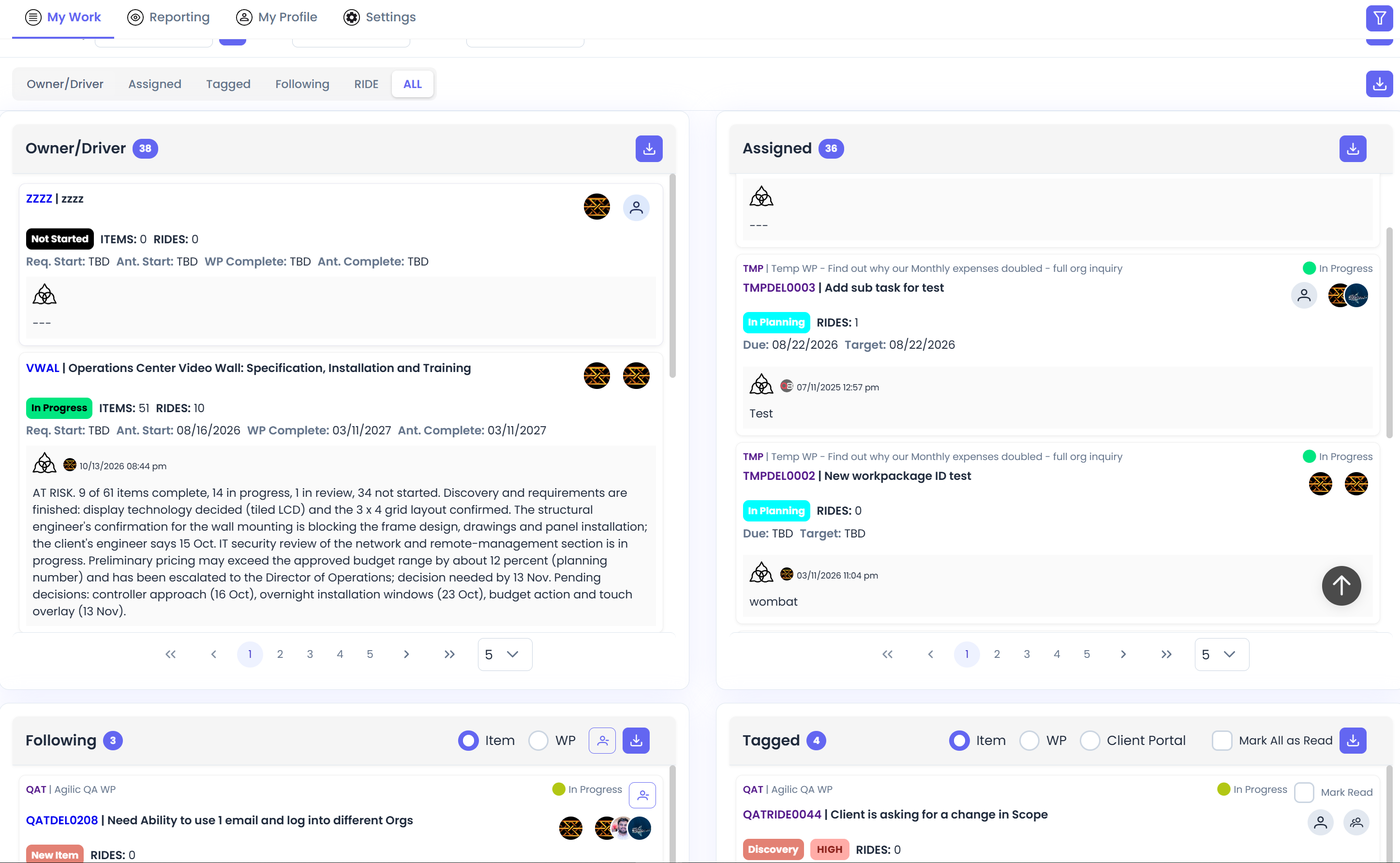
In most organizations, hardly anyone works on only one project. Agilic is built around that fact. The same work shows up in four places, so you always have the view you need:
- Work package: everything in one project, from objectives and plan to items, roster, timesheets and reports.
- My View: your own work across every project you are on, plus a private work package for things no one else needs to see.
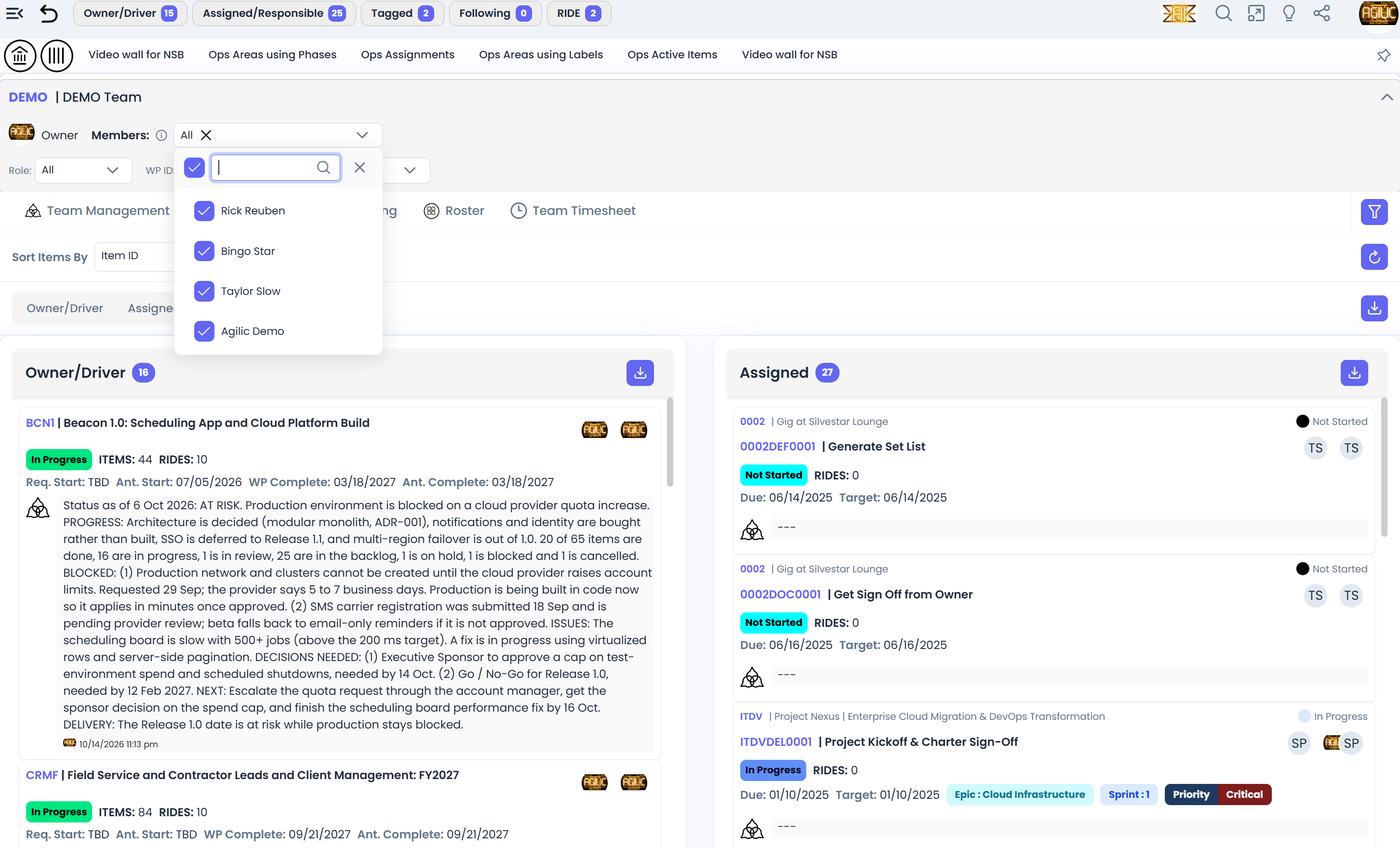
- Team view: see what everyone on your team is working on at the same time.
- Organization view: manage certain aspects of work across the entire company.
A work package can include people from different teams, and lightweight cross-team work can be tracked in a work package of its own.
Any process flow, any methodology, or none.
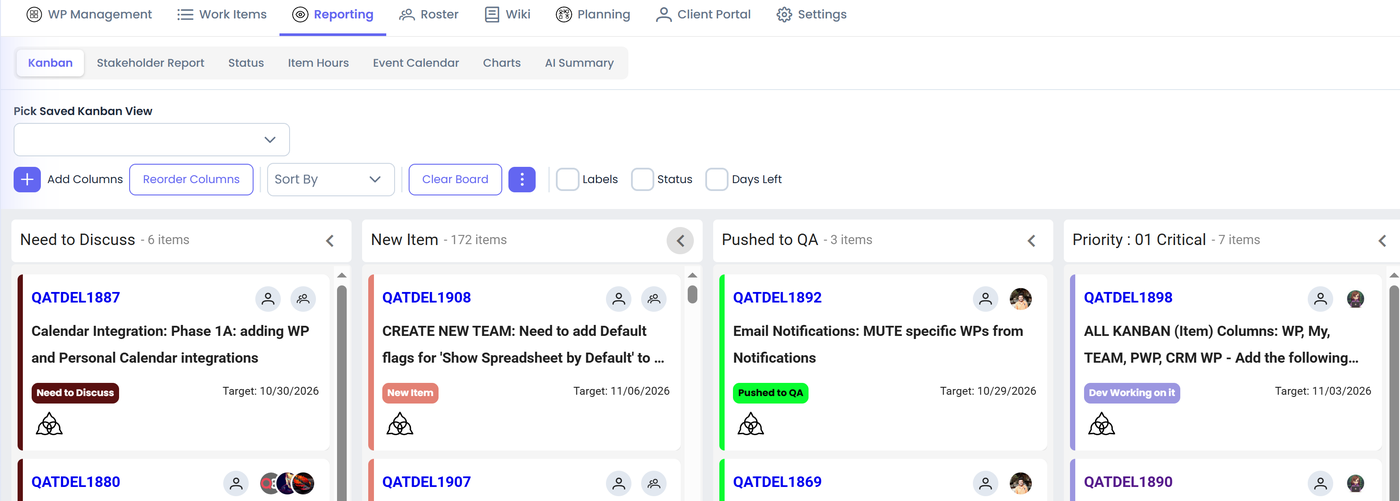
Kanban boards are available in the work package, in My View, for each team and for the whole organization. Pick the columns you need and save the board view. Almost any item-level data field can be a column, including all three label types.
There are three label types, and they show up everywhere, so you can see work by any process flow you set up:
- Simple labels for categories and groupings.
- Unbound labels with two parts, like TEAM : Alpha.
- Bound labels that allow only one value per name, like Priority or Complexity.
Every Work Package can customize its own Phases (Design, Build, etc.) and Item States (Not Started, In Progress, etc.), all of which are visible as columns on Kanban boards.
A place for everything you did not plan for.
RIDE stands for Risks, Issues, Dependencies and Escalations. It is unique to Agilic. When something new comes up, instead of sending an email, create a RIDE item. Everybody knows it is there, and you manage it like the rest of your work.
- Decision management is built in. One RIDE item can have several decisions, each managed on its own, and they appear on the Kanban boards.
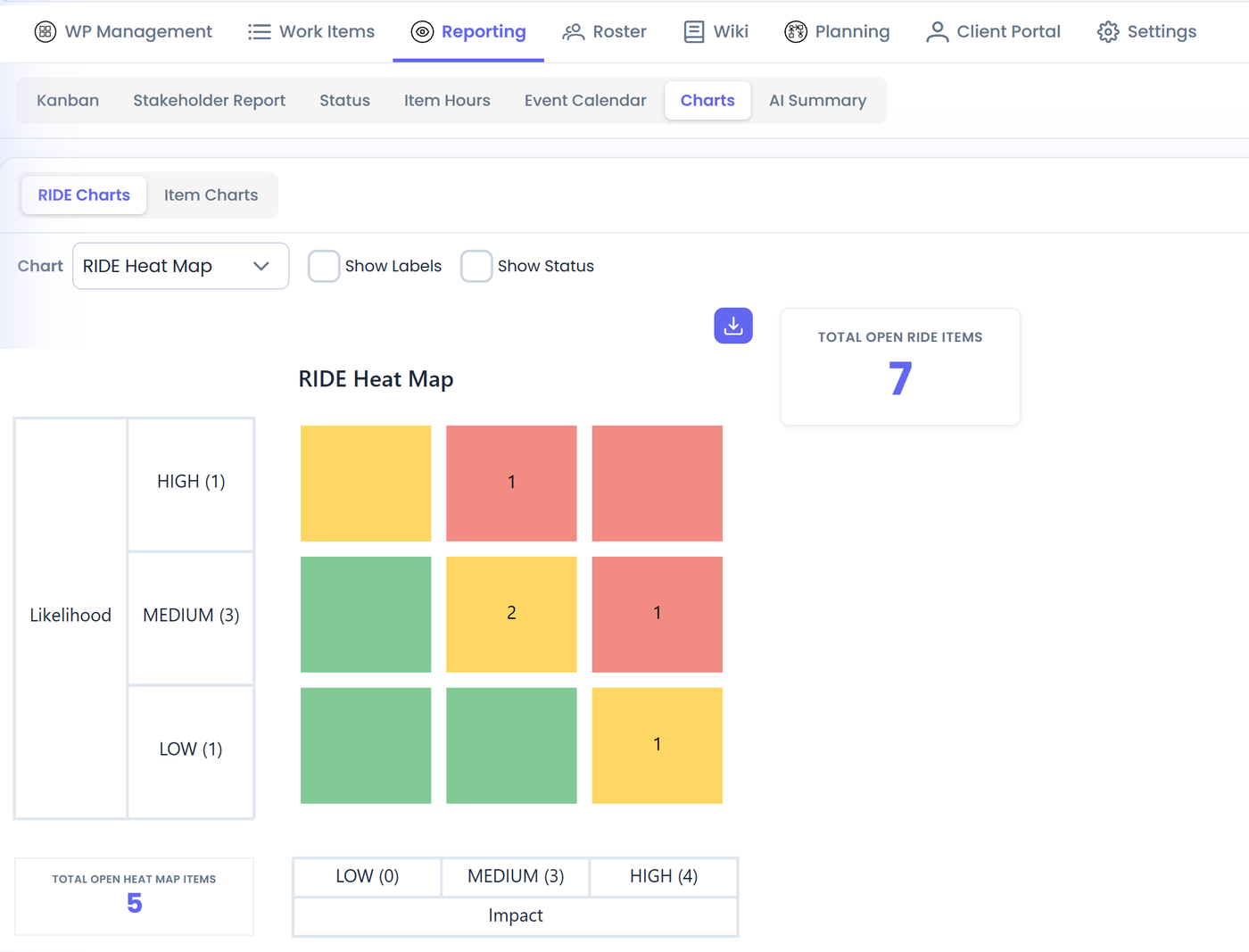
- Likelihood, impact and mitigation for risks, so you tackle the critical ones first.
- Escalate a RIDE item or a milestone so leadership sees it in the Stakeholder Report. If you are the person who handles escalations, they appear in your own view and you can decide right there.
- Relationships between items show how many items a single RIDE item affects. Two people with ten projects and one shared bottleneck? You can see the impact.
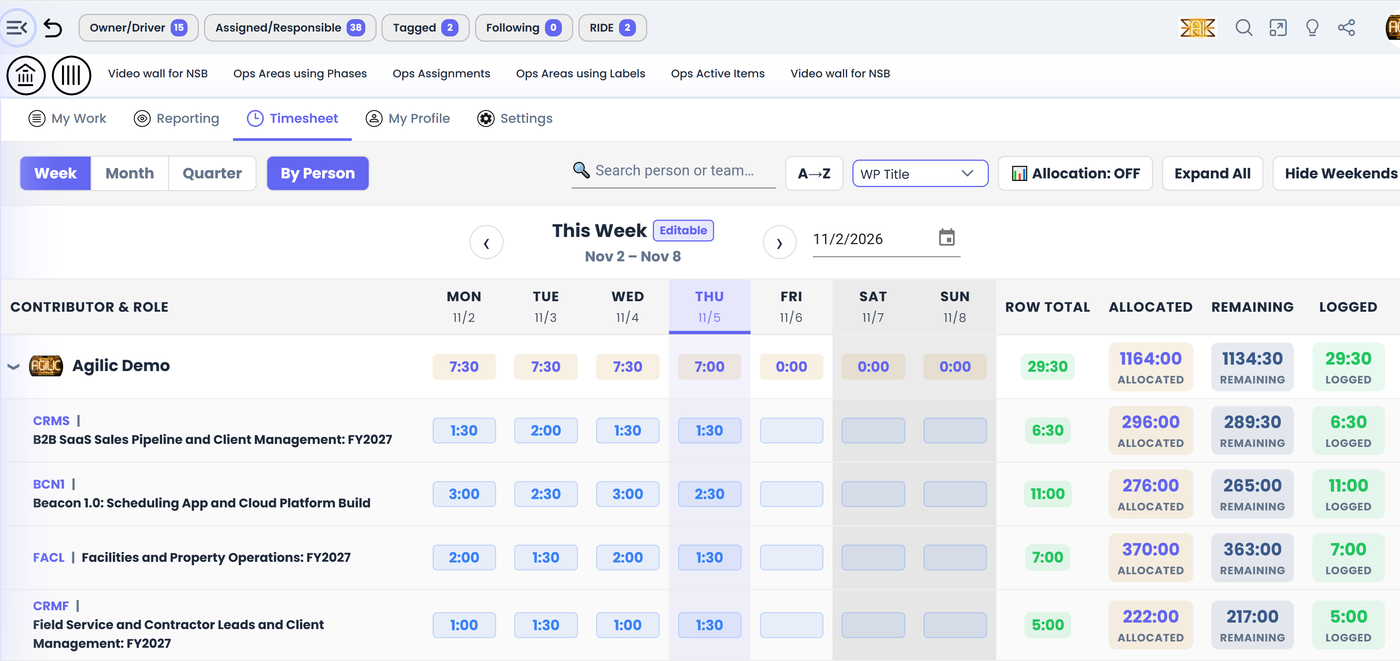
Pre-plan the whole project, then compare plan to reality.
- Placeholders let you assign a skill set you have not hired yet. Swap in real people as you hire or assign them.
- Allocations say how many hours per day, or over the life of a project, each person is planned for.
- Timesheets are available for work packages, for you personally and for teams. You do not have to use them, but if you do, you can compare the hours you planned with the hours logged.
- Templates for work package health, phases and states, and for item states, so you do not set things up from scratch.
- An events calendar shows your items by date. (Syncing it to Google or Outlook is on the roadmap.)
Answers without building a report.
Stakeholder Report
The executive view. Anything escalated, whether a RIDE item or a milestone, appears for everyone who needs it. Available for work packages, teams and your own View.
Charts
RIDE heat map, decision chart and mitigation chart, plus item charts by assignee, owner or state as pie and bar charts.
Status report
A time-boxed page to focus on what needs attention right now. Many users prefer to use the Kanban boards for the same purpose.
Item hours
Planned versus logged hours on each item, so you see where effort is going.
AI Summary
A detailed, current executive summary of a work package. It is stored, copyable and downloadable, so run it weekly.
Your own reports
My View has its own Kanban, Stakeholder Report, status and timesheet, so you can manage your own work and not only the work of one project.
Keep clients informed without the email chains.
- Up to 5 client users per work package, from the client companies and contacts in your client management area.
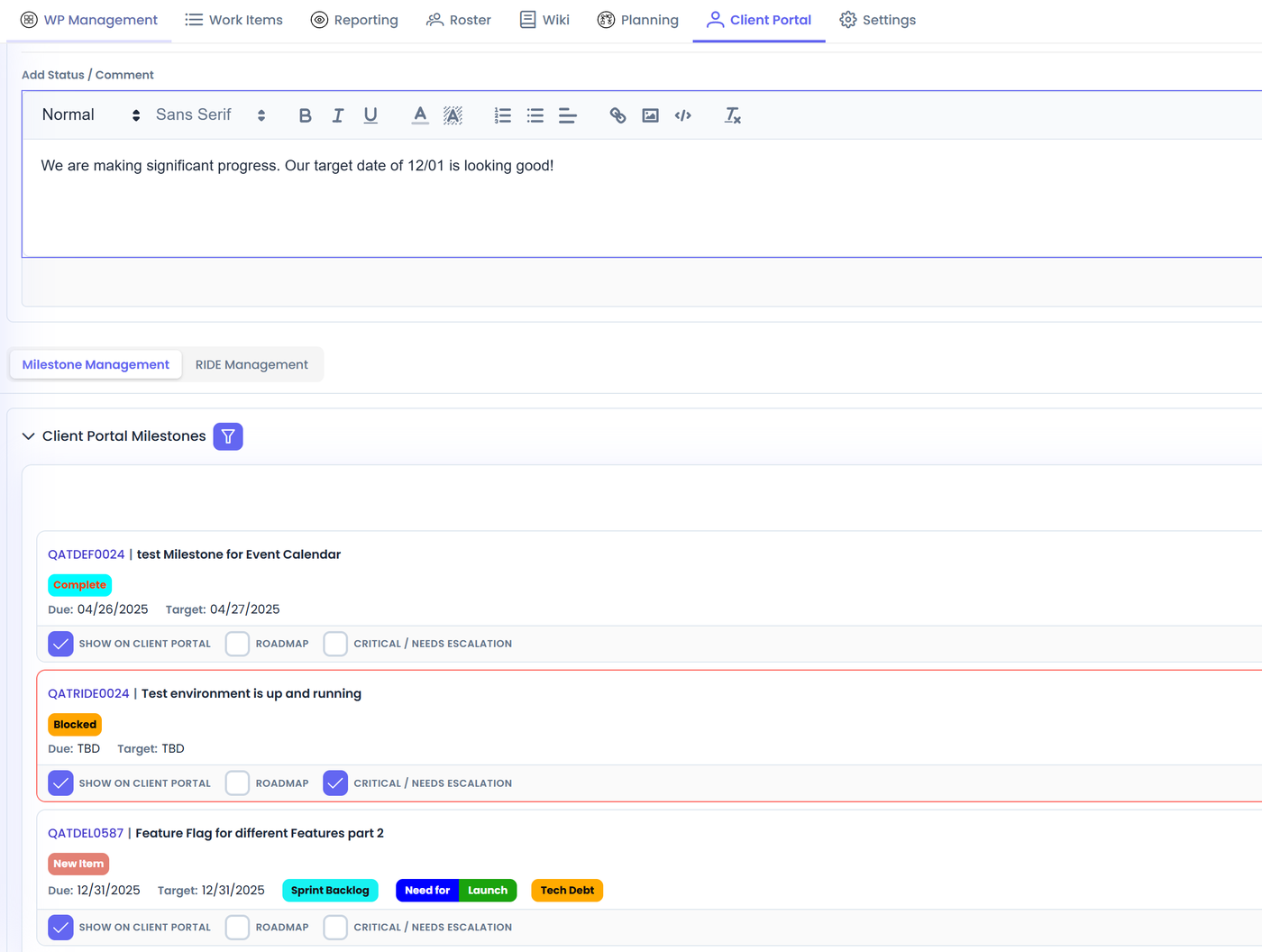
- You decide what they see: a client-specific status, the milestones you mark and the RIDE items you choose to escalate to them.
- Preview as the client before you turn the portal on.
- Share documents both ways. The history of every document uploaded is kept, including ones that were later deleted.
- Clients comment inside the portal, and you see the comments in your work package.
Track the work you do to win the work.
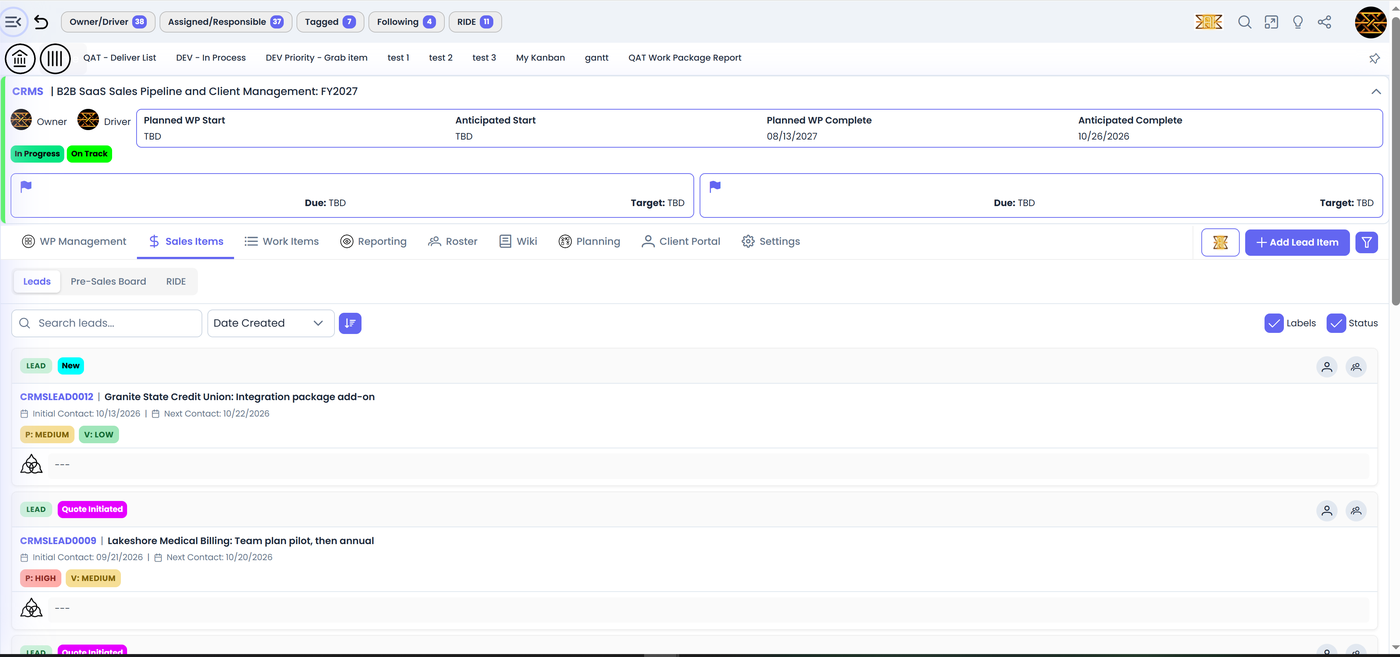
Client management keeps your companies and contacts in one place. On top of it, Agilic includes a light CRM geared to presales, with a lead item type. You can create as many CRM work packages as you need, for example one per team.
CRM work packages are also regular work packages. A bid might take six months of site visits, measuring and proposals before there is a contract. In Agilic, all of that effort is captured, and everything is related to everything else.
Stop keeping project notes in five other places.
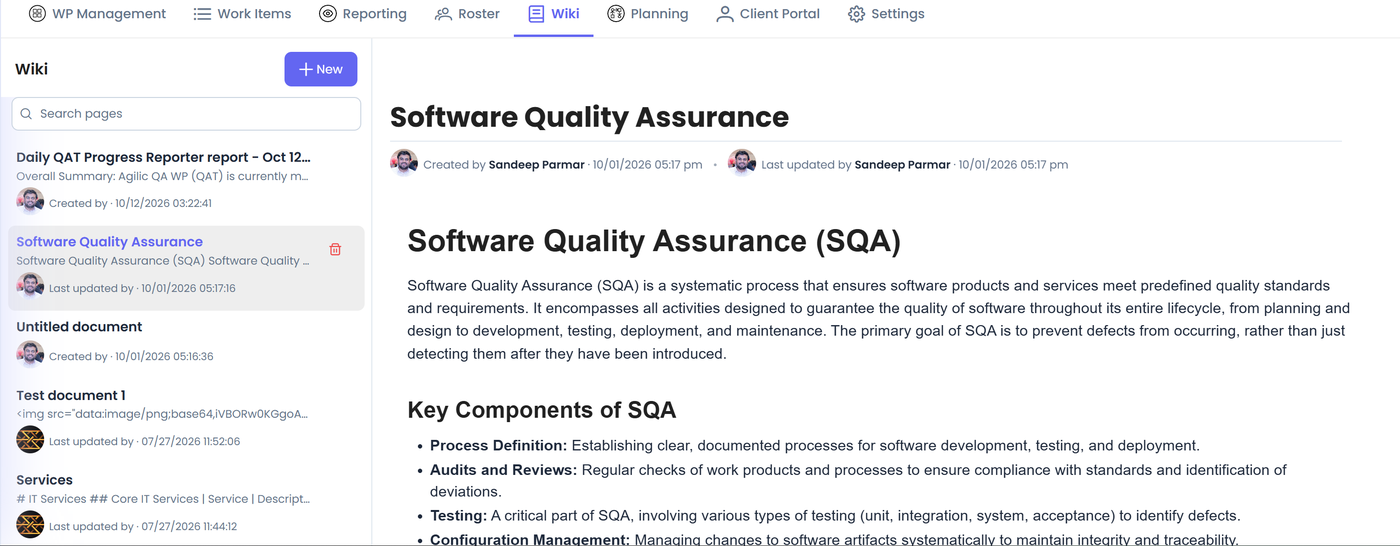
- Every project has its own wiki for company documents, client material, links (including to your Google Drive) and reference information.
- Document items include a built-in spreadsheet. Create one, send the link, and ask someone to update it. If it needs attention from leadership, turn it into an escalated milestone and it shows on the Stakeholder Report.
- Knowledge search finds text across your organization.
Runs in the browser, nothing to install.
Roles and permissions
Control what each person can see and do at the organization, team and work package level. Private work packages stay private.
Works on desktop and mobile natively
Use Agilic in a web browser on your computer, netbook, tablet or phone. There is no native app to download.
Learn at your own pace
Short training videos and a complete User Wiki walk through every feature.
Try Agilic free during beta
Set up your first project today. Free during beta, unlimited users, and a direct line to the product team.