
AI that helps you manage, not another thing to manage.
Agilic AI is built into the work you already do in Agilic. Get a summary of where a project stands, ask questions about your work and your documents, or connect your own AI tool. It only sees your organization's information, and it asks before it changes anything.
Choose how hands-on you want to be.
1. Press a button
Generate an AI Summary of any work package. Summaries are stored, so you can run one every week. AI Recommendations points out who deserves a kudos.
2. Ask the assistant
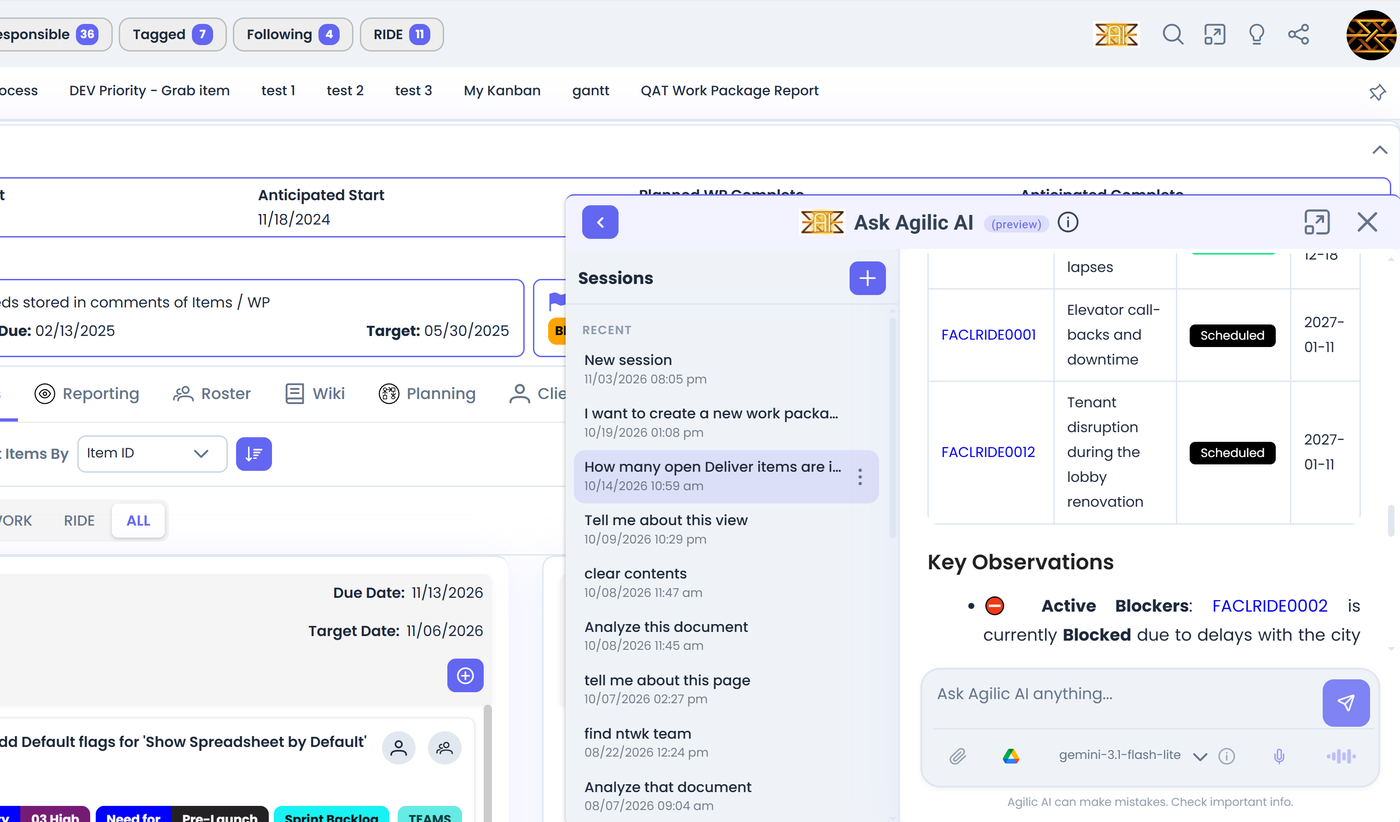
Ask in plain language: find items, read an attached document, build a work breakdown, make a chart, or update work as you talk.
3. Bring your own AI
Our MCP server connects the AI tool you already use to Agilic, so it can create and update work for you.
AI Summary and AI Recommendations.
You do not have to be an experienced project manager to keep a project on track.
AI Summary
Generate an executive summary of a work package with one button. It is stored, so you can run one each week and compare. Copy it into an email, or download it to share with your team or stakeholders.
AI Recommendations
A summary of what is important since the last time you looked, with suggestions for where to focus next. It also calls out kudos to people on the roster who did more than the usual.
Talk to Agilic in plain language, right where your work is.
The Agilic AI Assistant is in the top corner of every screen. Open it small or full size, keep a history of threads, attach files (including from Google Drive if you connect it), speak your commands and have answers read aloud. It confirms before it changes anything.
- Find and update. Look up items, and create or change them by telling the assistant what you want.
- Talk to your documents. Attach a file to a work package or item, then ask for a summary or ask questions about it.
- Charts and summaries. Ask for a chart or a narrative summary of what you are looking at.
- Improve your writing. Tighten descriptions, objectives and scope statements.
Plan with a work breakdown
Bring in the document
Attach a statement of work or requirements to a work package, or paste the text into the chat.
Work through it with the AI
Ask the AI to analyze the content and propose work: items, phases, and a work breakdown structure.
Review and refine
Nothing changes until you confirm. Adjust, reassign and ask for revisions in plain language.
This is a conversation with several steps, not a one-click button, so that the plan is yours.
Go from a statement of work to structured work.
You do not have to re-key a document into a project. Work through it with the assistant, step by step, and review each change before you use it.
An MCP server for the AI you already use.
Already working with an AI tool you like? Agilic's MCP server lets it work directly with your Agilic data: create projects, load items and update them. It acts as you, with your permissions.
- Create and update work from your own AI tool.
- Load a whole project, or several, by describing what you need.
- Same permissions as you: your AI can only reach what you can.
We have loaded ten projects into Agilic just by talking to our AI.
What you need
- An AI service that supports MCP
- Your Agilic login
- The Agilic MCP server address, from the User Wiki
You stay in charge.
Inside your permissions
The AI sees and changes only what you can. Private work packages stay private to the people on them.
Confirmation before changes
It confirms before it writes to your data, so you review before anything is shared.
Only your organization's information
Agilic AI only has access to information within your organization. You can also connect your own AI to Agilic's MCP server.
AI for the whole team.
Team members
Find your items, get a quick brief, and update status in plain language.
Project managers
Get a summary for the week, build a plan from your documents, and share a summary with stakeholders.
Owners and small-team leads
Stay on top of the work without digging through every project.
See it with your own projects.
Start the free beta, or book a time to connect with the team.